
Photo Editor With Stickers1.3 - App Store
You'll be able to see results in few seconds.
Publisher Description


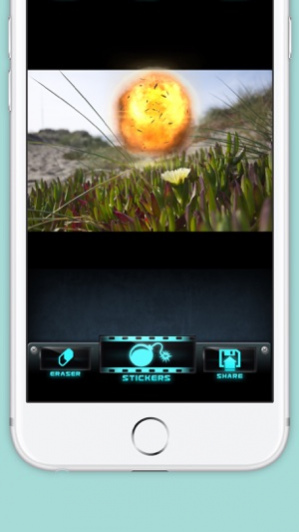

Turn any photo into something fun without fighting paywalls or ugly watermarks. Add stickers, fine-tune the look, write a caption, and save or share a finished photo in a few taps.
PicPerfect helps you edit photos with stickers, filters, captions, and easy export.
WHAT IT DOES
Pick a photo, then open the Stickers tab to choose from hundreds of built-in stickers across Smileys, Hands, Hearts, Animals, Nature, Food, Activities, Travel, Objects, Symbols, Sparkles, and Holiday. Search the library, tap a sticker to place it on your photo, then drag, pinch, and rotate it until it looks right. A selection ring makes it easy to see what you are moving, and undo or redo lets you fix changes without starting over.
Give your photo the look you want with 12 included filters: Original, Soft, Warm, Cool, Amber, Noir, Fade, Vivid, Honey, Coral, Matte, and Candy. If a filter feels too strong, use the strength slider to blend it in gently. You can also switch between 1:1, 9:16, 4:5, and 16:9 before you export, so a square post, story-sized image, landscape shot, or portrait layout fits better.
Add a caption and alt text in the Caption sheet on every iPhone with live character counts and quick copy buttons. On supported devices, Suggest with Apple Intelligence can fill in a caption, alt text, and even recommend one of the built-in filters, and you can edit everything before saving. When you are done, save to Photos or share directly without needing photo-library access for sharing.
PERFECT WHEN
Use Smileys or Hearts to dress up a selfie, drop Animals or Holiday stickers onto a family photo, add Travel or Food stickers to vacation shots, or pair a Warm or Honey filter with a sunset before sending it in Messages or Mail. If you are posting a portrait, switch to 4:5; if you are making a story-style image, use 9:16; if you just want a clean square, choose 1:1 and export.
WHY PICPERFECT
The core editing flow is free, ad-free, and watermark-free in this build: the full sticker library, 12 filters, captions, aspect ratios, and standard exports are all ready to use. It is built for quick results on iPhone, with built-in stickers, simple controls, and sharing that does not force extra steps.
Pro adds 6 extra filters - Dramatic, Cinema, Glow, Polaroid, Tropical, and Ink - plus higher-resolution export, unlimited AI caption suggestions on supported devices, and a custom signature watermark.
Photos access is requested only when you pick a photo or choose Save to Photos. Try PicPerfect and make your next photo more personal in minutes.
Terms of Use (EULA) - http://www.apple.com/legal/itunes/appstore/dev/stdeula
Version History Bug fixes and enhancements 1.3 Aug 11 Bug fixes and enhancements 1.2 Jun 22 Bug fixes and enhancements 1.1 Apr 29 1.0 04/15/2016
About Photo Editor With Stickers
The company that develops Photo Editor With Stickers is Sandeep Bhandari. The latest version released by its developer is 1.3.
To install Photo Editor With Stickers on your iOS device, just click the green Continue To App button above to start the installation process. The app is listed on our website since 2026-10-14 and was downloaded 0 times. We have already checked if the download link is safe, however for your own protection we recommend that you scan the downloaded app with your antivirus. Your antivirus may detect the Photo Editor With Stickers as malware if the download link is broken.
How to install Photo Editor With Stickers on your iOS device:
- Click on the Continue To App button on our website. This will redirect you to the App Store.
- Once the Photo Editor With Stickers is shown in the iTunes listing of your iOS device, you can start its download and installation. Tap on the GET button to the right of the app to start downloading it.
- If you are not logged-in the iOS appstore app, you'll be prompted for your your Apple ID and/or password.
- After Photo Editor With Stickers is downloaded, you'll see an INSTALL button to the right. Tap on it to start the actual installation of the iOS app.
- Once installation is finished you can tap on the OPEN button to start it. Its icon will also be added to your device home screen.
Program Details
System requirements
Download information
Pricing
Version History
version 1.3
posted on 2026-10-14
Version History Bug fixes and enhancements 1.3 Aug 11 Bug fixes and enhancements 1.2 Jun 22 Bug fixes and enhancements 1.1 Apr 29 1.0 04/15/2016
version 1.3
posted on 2026-09-04
Version History Bug fixes and enhancements 1.3 Aug 11 Bug fixes and enhancements 1.2 Jun 22 Bug fixes and enhancements 1.1 Apr 29 This app has been updated by Apple to prepare for watchOS 27 compatibility. No new features are included. 1.0 04/15/2016
version 1.3
posted on 2026-08-23
Version History Bug fixes and enhancements 1.3 Aug 11 Bug fixes and enhancements 1.2 Jun 22 Bug fixes and enhancements 1.1 Apr 29 This update from Apple will improve the functionality of this app. No new features are included. 1.0 04/15/2016
version 1.2
posted on 2026-07-30
Version History Bug fixes and enhancements 1.2 Jun 22 Bug fixes and enhancements 1.1 Apr 29 This update from Apple will improve the functionality of this app. No new features are included. 1.0 04/15/2016
version 1.1
posted on 2026-06-09
Version History Bug fixes and enhancements 1.1 Apr 29 This update from Apple will improve the functionality of this app. No new features are included. 1.0 04/15/2016
version 1.0
posted on 2016-04-16
version 1.0
posted on 2016-04-15
15 Apr 2016 Version 1.0
This update is signed with Apple’s latest signing certificate. No new features are included.
version 1.0
posted on 2016-04-15
Apr 15, 2016 Version 1.0
This update is signed with Apple’s latest signing certificate. No new features are included.
version 1.0
posted on 2016-04-15
Apr 15, 2016 Version 1.0
This app has been updated by Apple to use the latest Apple signing certificate.
version 1.0
posted on 2016-04-15
Apr 15, 2016 Version 1.0
This app has been updated by Apple to display the Apple Watch app icon.
Disclaimer
Official App Store Link
We do not host Photo Editor With Stickers on our servers. We did not scan it for viruses, adware, spyware or other type of malware. This app is hosted by Apple and passed their terms and conditions to be listed there. We recommend caution when installing it.
The App Store link for Photo Editor With Stickers is provided to you by apps112.com without any warranties, representations or guarantees of any kind, so access it at your own risk.
If you have questions regarding this particular app contact the publisher directly. For questions about the functionalities of apps112.com contact us.
